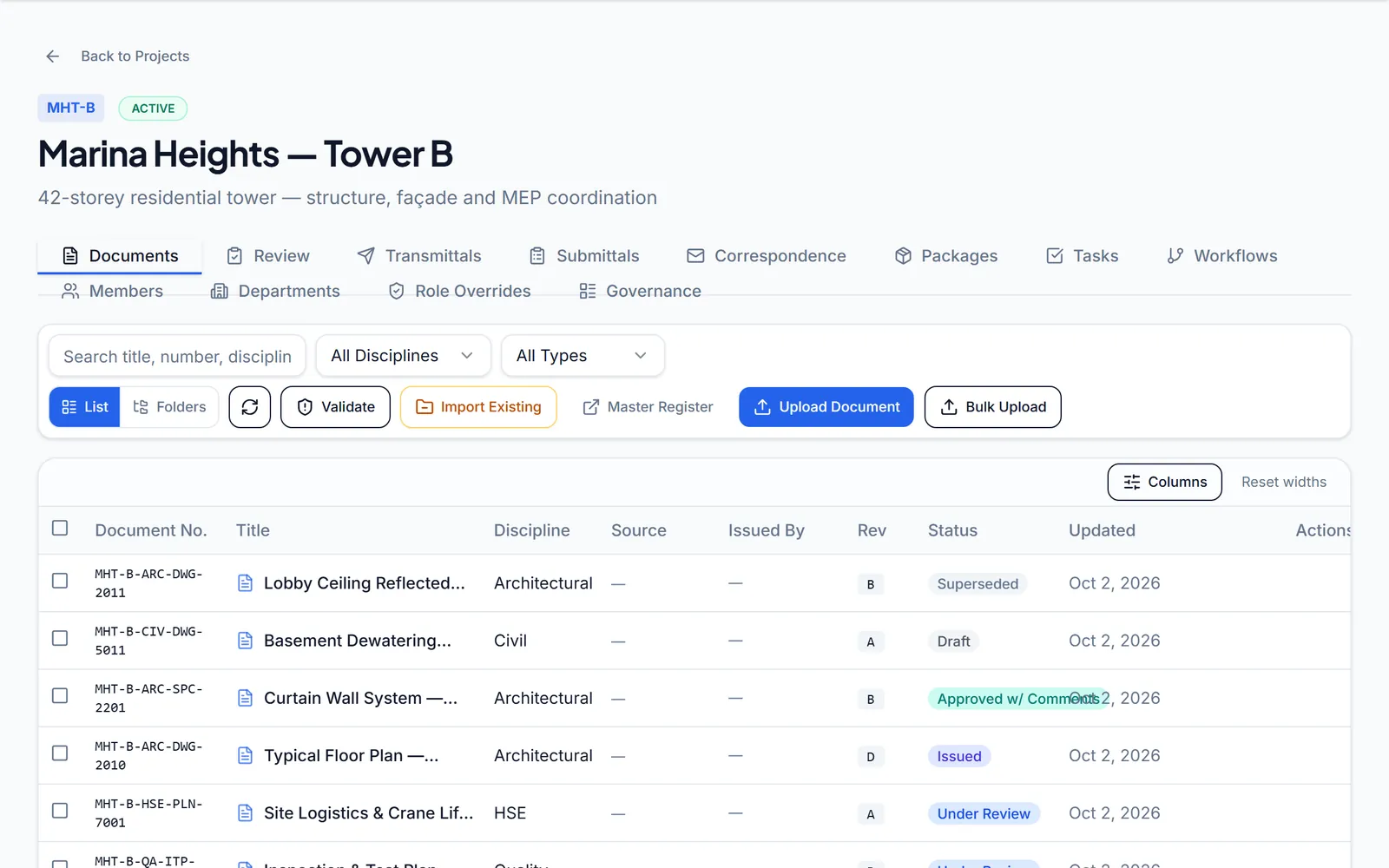
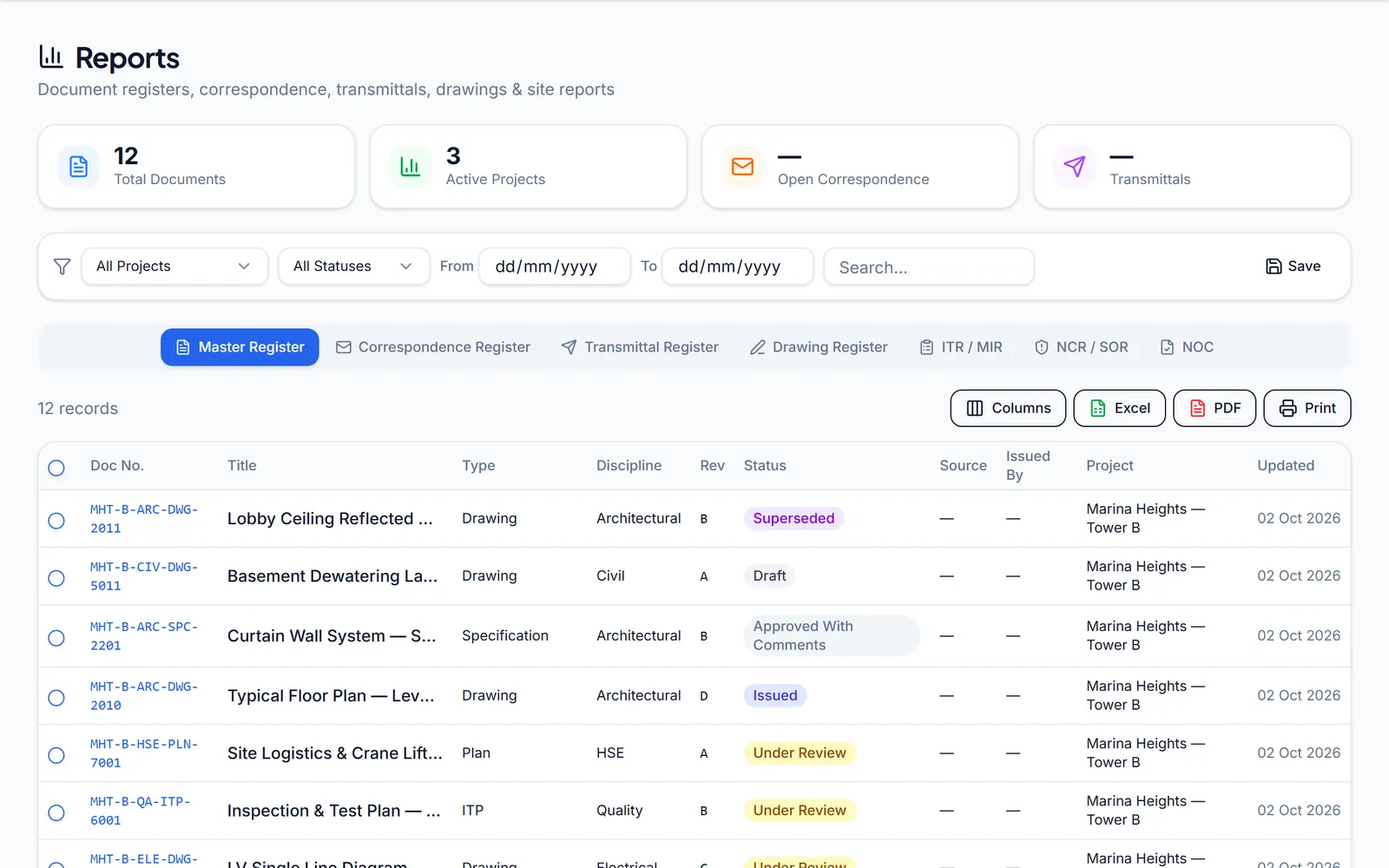
Every document carries its number, revision and status.
Revisions are tracked on the document itself, and replaced documents carry a Superseded status instead of quietly disappearing, so a site team can see which sheet is current.
ArcScale EDMS is one workspace for the documents, transmittals, correspondence and approvals that run a construction or engineering project. Numbering, review codes, deadlines and an audit trail are built in, so the right revision reaches the right people, on time, with proof.
Revisions are tracked on the document itself, and replaced documents carry a Superseded status instead of quietly disappearing, so a site team can see which sheet is current.
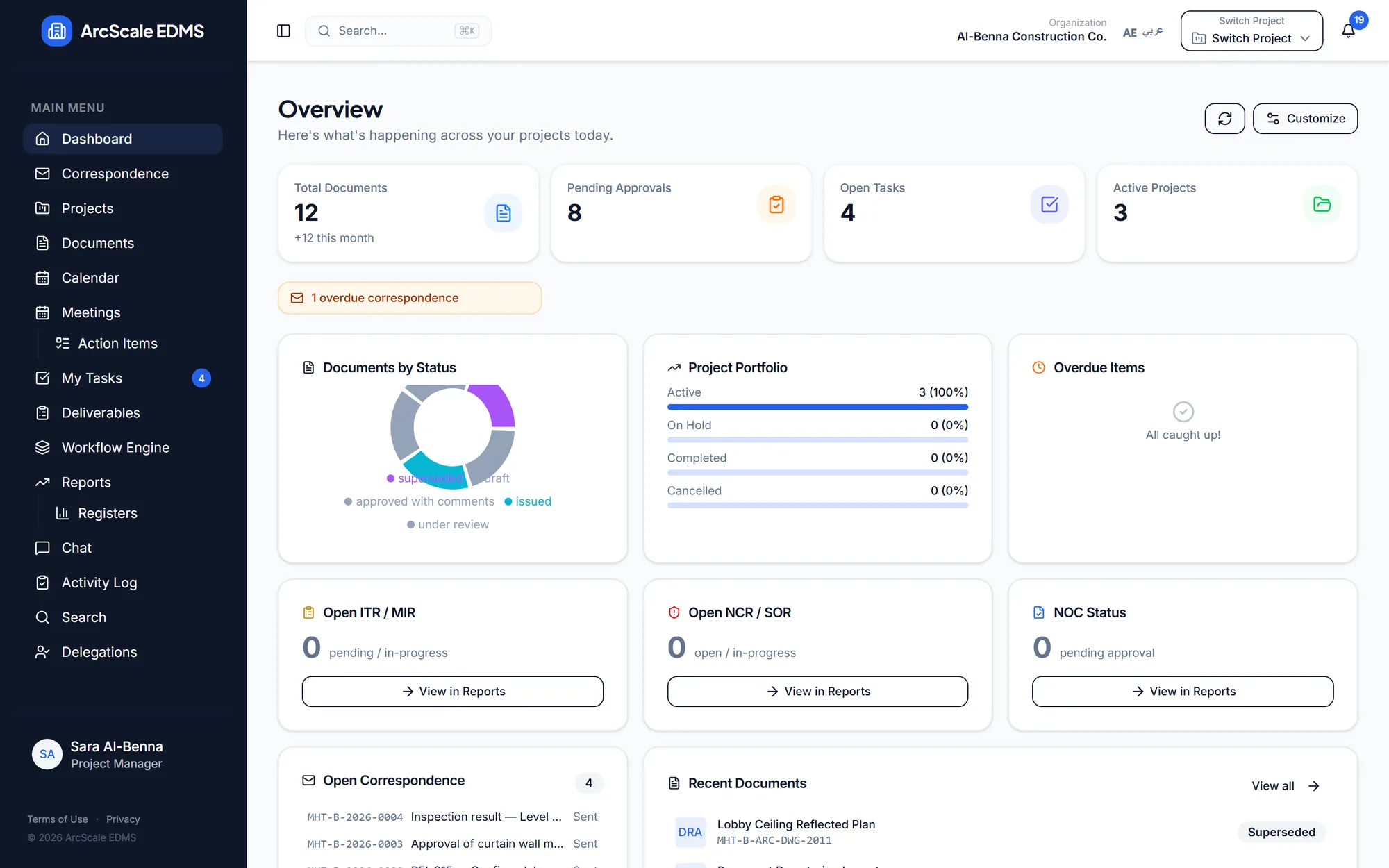
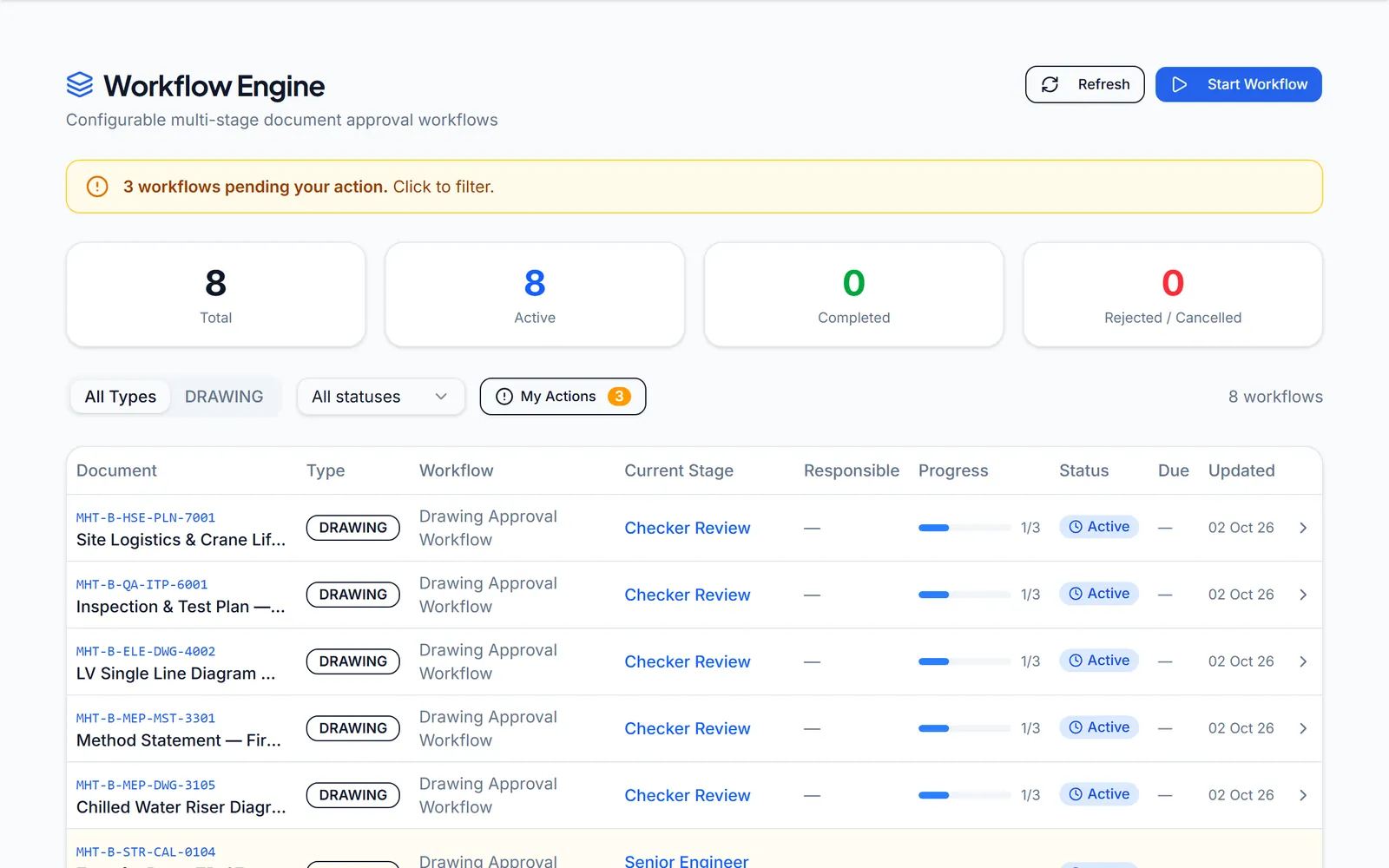
Approval workflows move a document stage by stage, each with a responsible role and SLA days. Overdue stages surface on the dashboard and in reminders.
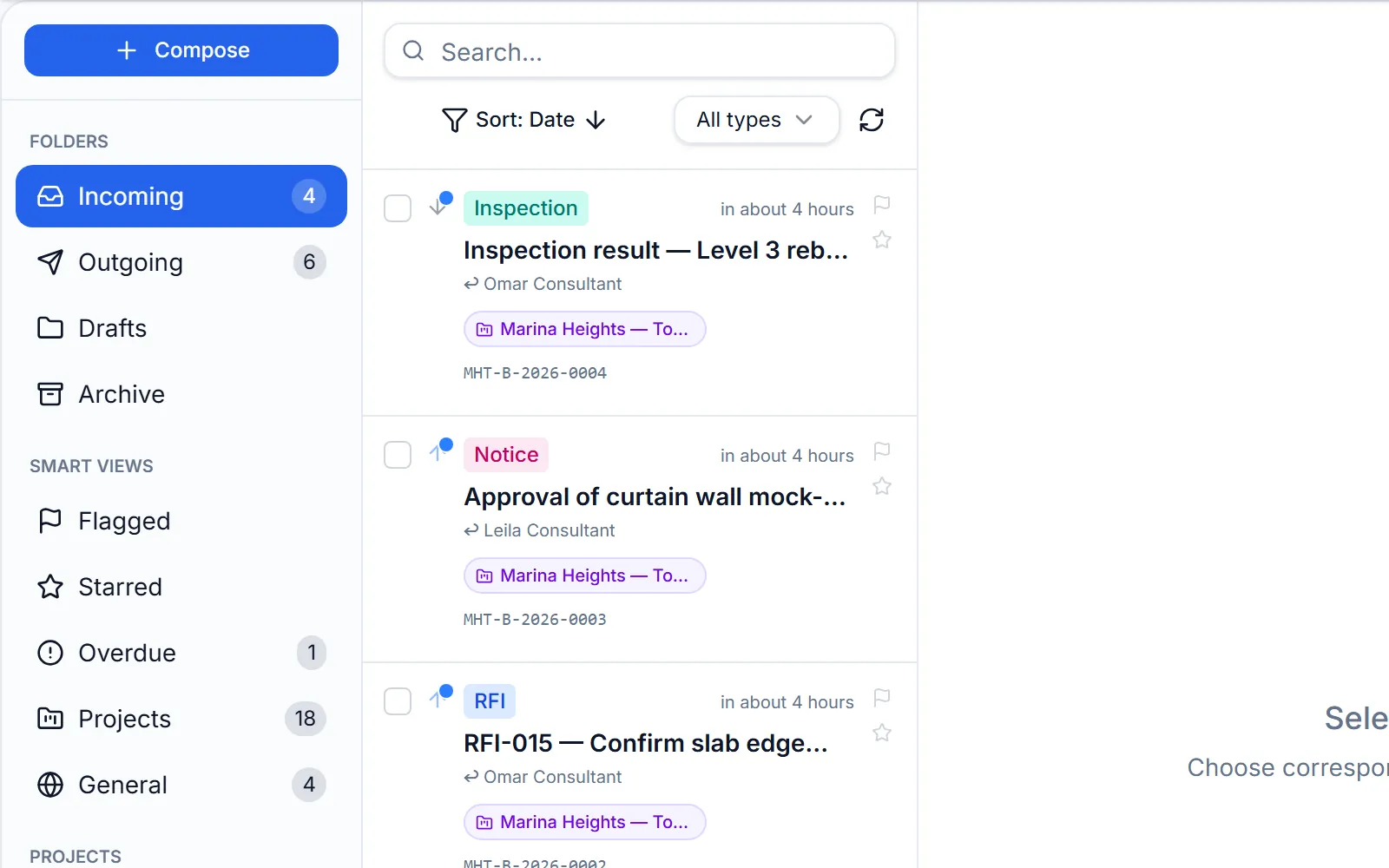
RFIs, NCRs, technical queries and inspection requests get a reference number, a response-required flag and a due date, with reminders when a reply is missing.
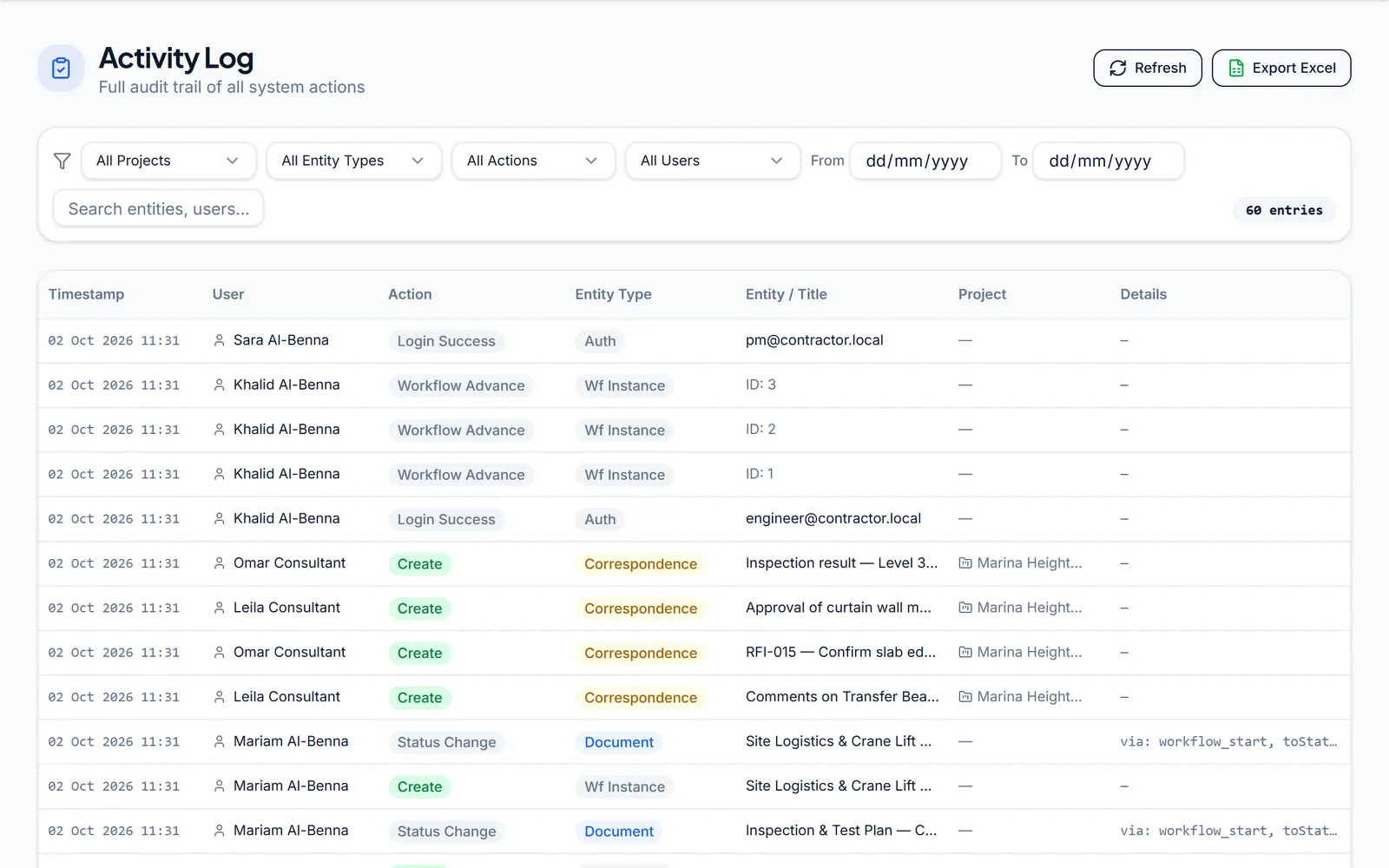
Uploads, status changes, approvals, sign-ins and access to files are written to an append-only activity log that cannot be edited, then filtered and exported in minutes.
These are real screens from ArcScale, shown with fictional project data.
Each project keeps its documents numbered, revisioned and filterable by discipline and type, in a list or folder view.
Reusable workflow templates route a document through ordered review stages, from technical check to final approval.
Letters, RFIs, NCRs, notices, technical queries and inspection requests live with the project, with sender, recipients and history.
Live registers are built from the work itself, so nobody re-types a transmittal log at month end.
The activity log captures actions across documents, transmittals, correspondence, tasks and sign-ins. Entries can be added, never edited or deleted.
The same path your document controllers already follow, with the bookkeeping done for them.
The document gets its number, discipline, type and revision on upload.
MHT-B-STR-DWG-1002 · Rev BA workflow routes it through your checkers, each stage with an owner and an SLA.
Checker → Senior engineer → ApprovalA transmittal sends it with a stated purpose and due date, and is logged.
For information · review · approval · constructionThe reviewer answers with a code, and a linked response transmittal records it.
A · B · C · DApproved documents are issued; the rest go back for revision. The registers update with every step.
Issued · For revision · SupersededMethod statements, shop drawings and ITPs, numbered and tracked from first issue to approval, with RFIs and NCRs on the same project.
Incoming submittals arrive with a purpose and a due date; review codes and comments go back on the record.
Registers, dashboards and an activity log that show where every package stands, without waiting for a monthly report.
Policies, procedures and internal memos can live in the organization-wide area, under the same numbering and audit trail.
Bring partners into a project. Invite other organizations as observers who can read shared documents and transmittals, or as contributors who can also upload and send transmittals. Your internal correspondence stays yours.
Everything here describes how ArcScale runs today, not a roadmap.
Each organization's records are separated with row-level security, and the application runs with least-privilege database access.
Roles from admin and project manager to document controller, reviewer and viewer, with project-level overrides and dated delegations.
Encrypted daily backups are kept off the server, and restores are tested from those backups, not assumed.
On exit you receive a complete export: every record as structured data plus all files, with checksums. Deletion then follows the agreed terms.
Pilots run under a written DPA that names every sub-processor and where it operates.
AI features are off by default for every organization. Your documents are not sent to AI providers unless you ask for it.
We set ArcScale up with you and run it on a real project for 60 days, so the decision rests on your own documents rather than a sales demo.
We walk through your projects, numbering rules, review routes and the registers your clients expect.
We create your organization, import your existing folders, and configure numbering, document types and review workflows.
Your team runs real documents, transmittals and correspondence in ArcScale, with us on hand.
Continue, or leave with a complete export of everything you put in.
Pilot terms, including the data processing agreement, are agreed in writing before any of your data is loaded.
ArcScale is a personally operated project. We use the details you submit to respond to your demo or managed pilot request. Your request is stored on our server in Germany. We use Resend to email your request details to the ArcScale team. Technical checks help protect the form from abuse. Inquiries that do not become a managed trial or customer relationship are retained for up to 12 months after the last contact. For privacy questions or a deletion request, contact sales@arcscale.org. Please do not include confidential project documents or sensitive information.
We'll reply to your work email to arrange a time that suits your team.
The application and database run in Nuremberg, Germany (EU). Uploaded files are stored either on that server or in Cloudflare R2 object storage; encrypted backups are kept in Cloudflare R2 and are encrypted before they leave the server. R2 is set to prefer European data centres, but that is a placement preference, not a guarantee of EU residency. Data is not hosted in the UAE today, and the pilot agreement states this plainly so you can confirm it fits your requirements.
Yes. The import wizard takes your existing folder structure, reads document numbers and revisions from file names, lets you review each item, then creates the documents and revisions in a project. Set-up is part of the managed pilot.
The interface switches between English and Arabic with a right-to-left layout. Arabic coverage is still being extended across every screen; tell us which areas matter most to your team.
Yes. Partner organizations can join a project as observers (read shared documents and transmittals) or contributors (also upload documents and send transmittals). Correspondence stays inside your own organization.
You receive a complete export: every record as structured data plus all uploaded files, with checksums so you can verify it. Your data is then deleted under the terms agreed for the pilot.
Not unless you ask. AI features are switched off by default for every organization, and documents are not sent to AI providers while they are off.
Not today. Sign-in is by email and password with verified email addresses and managed sessions, and there is no public API or e-signature integration yet. If one of these is a requirement, say so in your request and we'll be specific about timing.
Bring one live project. We set it up with you, and you decide on your own documents.
Pilot terms, including the data processing agreement, are agreed in writing before any of your data is loaded.